Private Studio Intelligence · for creative teams

The whole studio,
in one conversation.

Foma connects your media library, review platform, cloud documents and team conversations — making the studio's entire working memory searchable from one conversation.

No migrationyour storage as it is
Beyond mediatasks, reviews, docs
One instancethe whole studio asks
Local-first and privately deployed. Media processing stays on-site.

The media itself never leaves. The text of a question, of what was read to answer it and of the answer can reach a studio-approved external model — or that layer can run inside the studio too. How the boundary works →

assistant · live
Frame.io Media library Project tracker Google Drive Team chat NAS, SMB & cloud Review comments Briefs & specs Transcripts Delivery checklists

The problem

A studio's memory is scattered across a dozen tools. Nobody can hold all of it.

Footage on the NAS, versions on Frame.io, decisions buried in chat, briefs in the cloud. Foma reads across all of it and answers in plain language — so the knowledge of the studio is one question away, for everyone, not just the person who filed it.

What it does

Search the studio the way you'd ask a person.

Find, understand, check and monitor the work — by filename, meaning, what was said, what's in the frame, or what a project still owes.

FindMedia, dialogue and documents
UnderstandProjects, feedback and context
CheckDeliveries against their spec
MonitorStorage, activity and blockers
01

Search by meaning, everywhere

One search across connected media, documents, team conversations and review feedback. Describe what you mean in plain language; Foma finds where the answer lives and cites what it read.

“The take where the client says ‘make it warmer’”
searches locally generated transcripts for eligible media
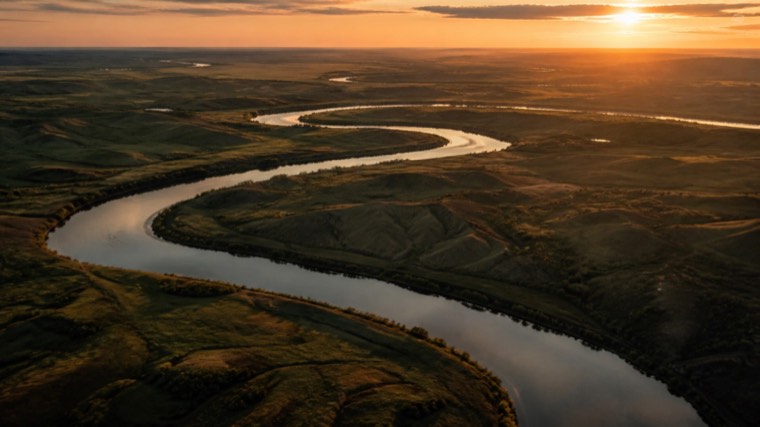
“Drone shots over water, golden hour”
searches visual content across indexed, supported media
“What's blocking the spring campaign?”
searches chats, tasks and Frame.io comments together
02

Search the spoken word

Eligible media can be transcribed locally, making spoken content searchable across interviews, edits and production footage.

03

Preview supported media

Supported media gets locally generated thumbnails and previews — browse large production libraries without downloading the original files.

04

Works where your team communicates

Use Foma's private web interface or bring it into the communication tools already embedded in your studio's workflow.

05

Understands the whole project

Bring files, tasks, documents, review feedback and storage context into one sourced project overview.

Visual search

Find the shot by showing it.

Drop in a still, a reference or a screenshot and Foma returns visually similar frames from across the library — or describe the shot in words and it does the same. Frames are sampled and understood on the studio's own hardware, so nothing has to leave the building to become searchable.

visual finder
The reference still dropped into the search a reference stillplus: drone, water, golden hour find

48 matches across 12 projects sample workspace
Aerial still: wooded islands in a lake at sunset 0.42 00:12
Launch_FilmDJI_0431.MOV · 2.1 GB
Aerial still: coastal cliffs above the sea in low sun 0.39 00:03
Brand_CampaignA017_C008_0521.mov · 1.4 GB
Aerial still: a river winding across open plains at dusk 0.37 00:41
Documentaryriver_bend_dusk.mov · 620 MB
Aerial still: a mountain lake with the sun behind the ridge 0.34 00:08
Launch_FilmDJI_0448.MOV · 1.8 GB
Aerial still: open ocean with the sun low on the horizon 0.33 01:16
Social_Cutdownsocean_sunset_02.mov · 310 MB
Aerial still: a rocky archipelago at sunset 0.31 00:27
Brand_Campaignarchipelago_pan.mov · 980 MB

Delivery readiness

The check: what was promised, and what actually arrived.

The last question before a delivery leaves is always the same — is everything there, in the format that was agreed? Foma answers it against the client's own document, file by file.

The client's documentbecomes the spec — PDF, DOCX, XLSX or TXT
You review it firstnothing is inspected until you do
Verdict per requirementwith frames from the media as evidence
A producer's decisioncloses an ambiguous item; the report is rebuilt from it
Exports as CSV or PDFpast reports stay where the team can reopen them
deliverables check
not ready FW26 campaign · delivery matrix 14 Aug
1What was promisedthe client's brief, read back as a checklist
2What we understood12 requirements · confirmed by a producer
3What arrived10 of 12 found on the server
master_1x1_prores.movpasses
cutdown_9x16.mp4missing
master_subtitled.movmissing
frames kept as evidence sample report

Companion tool

The dashboard: the whole library, made visible.

Chat is how you ask; the dashboard is how you see. A live, read-only view of the studio's storage — every server, every project, and where it's all heading.

Live totals per serverfiles, indexed size, free space
Free-space forecastsee a server filling up weeks ahead
Storage by projectthe largest projects, ranked live
Storage intelligencecold data, duplicates, file-type breakdown
Read-only viewsafe to open for the whole team
studio dashboard
6.9 TBfree
988kfiles indexed
120 TBindexed size
43 duntil archive is full
top projects · by size
Launch_Film12.4 TB
Brand_Campaign4.4 TB
Social_Cutdowns3.7 TB
Documentary3.4 TB
What's using space — indexed size by file type
Cold heavy data — untouched for months, archive candidates31
Possible duplicates — same name & size, verify first14
read-only index sample workspace

Live demo

Watch it answer real questions.

A short screen capture of the assistant at work — checking a project's status, finding a shot by describing it, pulling yesterday's decisions out of chat.

Read more

Articles & write-ups.

Notes on building an internal AI assistant for a working studio — the design decisions, the trade-offs, and what actually held up in production.

All articles →

See it in context

See it work, then map it to your studio.

Watch Foma answer real studio questions, or explore the decisions behind a working private deployment.

Map your studio workflow

Tell us how your studio works.

Share the systems your team already uses. We will suggest what to connect first, what should stay local, and what a safe initial deployment could look like.

Your request will be sent directly. No email app will open.